How to avoid thin tile slivers
A two-centimetre strip of tile at the door or in the shower corner is the most common complaint clients make about a tiler. It can almost always be avoided by choosing the right starting point before work begins.
What counts as a sliver
A practical rule: a cut narrower than a third of the tile’s shorter side, and never less than 50 mm, is a sliver. For a 600×300 tile that is anything under 100 mm; for 50×50 mosaic, under 50 mm. Such a piece is hard to cut without chipping, holds poorly in the adhesive and looks like a mistake.
Where it comes from
Tilers start from a corner because it is easier. Then all the leftovers collect at the opposite wall, and the width of the last row is a matter of luck. Example: a 2470 mm wall, 600 mm tile, 2 mm joint.
- From the left corner: 4 full tiles take 2408 mm, leaving a 62 mm strip at the right corner. A sliver.
- Joint on the wall’s centre line: 2 full tiles each way, 31 mm at both corners. Even worse.
- Tile on the centre line: 3 full tiles in the middle, 331 mm at each corner. The cuts are equal and wide.
A shift of just half a tile turns two bad cuts into two good ones, and the amount of tile hardly changes.
How to choose the starting point
- Find the main view. What do people see when they open the door? Usually the wall opposite, the bath or the shower. That is where the pattern should be symmetrical.
- Try both centred options: a joint on the centre and a tile on the centre. Take the one with wider cuts at the corners.
- Check the openings. The door, window, niche and boxing create cuts too. Sometimes a full tile at the door edge is better, with the cut going into the corner behind the bath.
- Vertically, the bottom row of a wall is usually full if the floor is level. If a bath or furniture covers the bottom, leave the cut there and keep the top row at the ceiling full.
- Floor and walls together. If the same tile goes on the floor and walls, the floor joint continues up the wall, so the starting points are chosen together.
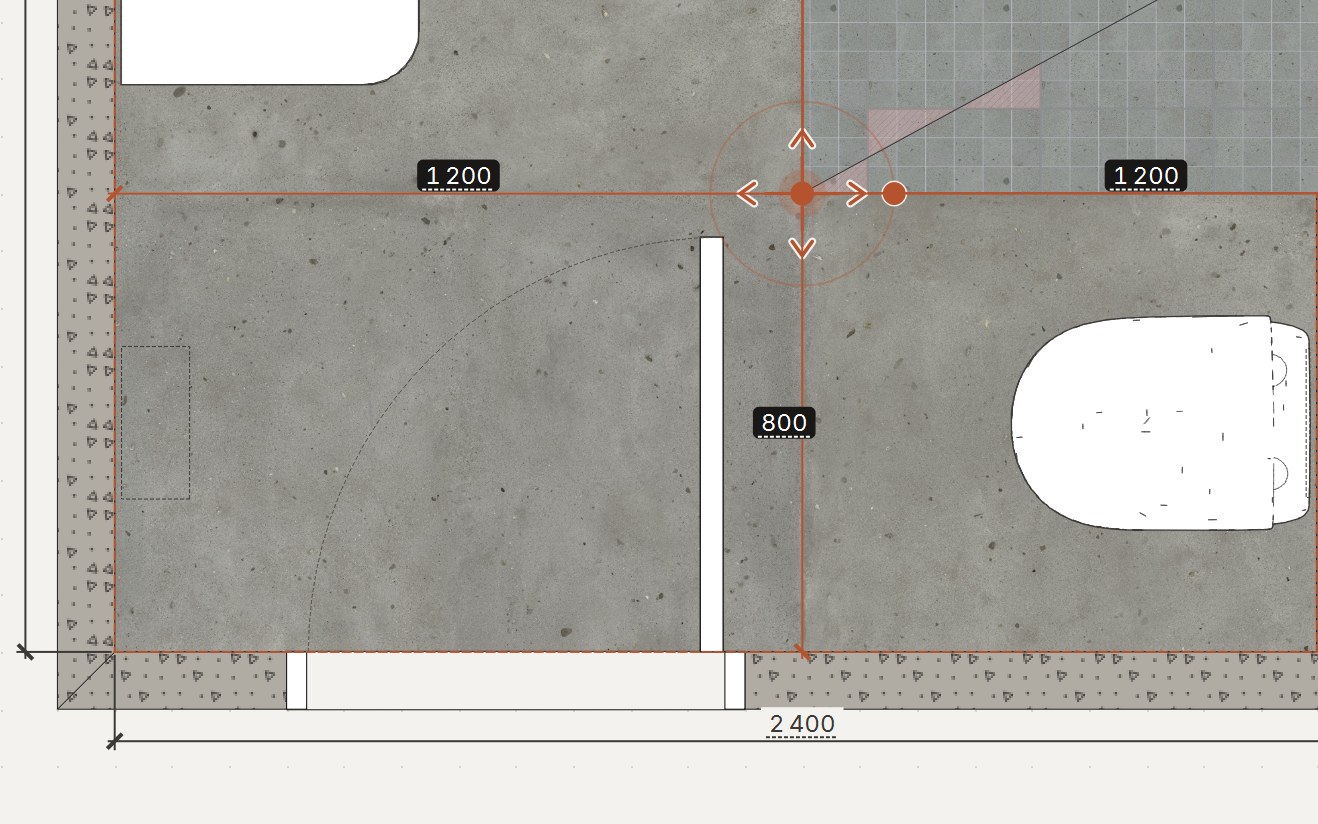
When trying options by hand takes too long
For one wall the options are easy to work out on a calculator. In a bathroom with a niche, boxing, a WC frame and a door there are dozens, and each one changes the other walls. ATELIER 3D goes through them itself and offers the three best starting points; you pick one.
Work it out for your own room
ATELIER 3D lays out tiles from your measurements, counts tiles in boxes and adhesive and grout in bags, and shows the bathroom in 3D. 7-day trial, no card.
Download free